

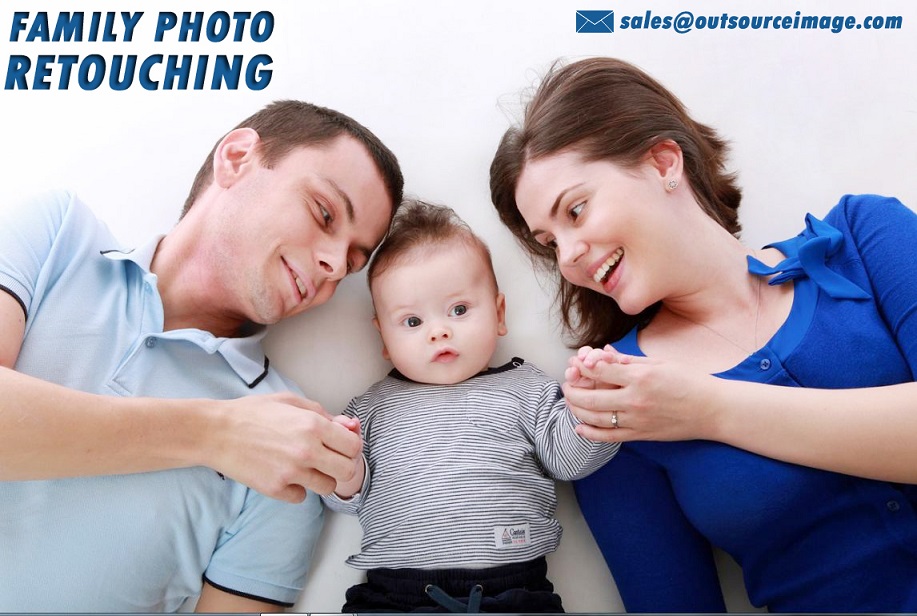
When a family hires a professional photographer, the interaction during the session is often viewed as the primary service. There is laughter, posing, and the clicking of the shutter. However, for family portrait photographer, the session itself represents only a fraction of the work involved in delivering a final gallery. The bulk of the labor occurs after the client drives away, in the quiet solitude of the editing suite.
There is often a disconnect between client expectations and the reality of professional workflow. Questions frequently arise regarding why digital files cost money, why the delivery takes weeks, or why raw files are rarely released. To understand the value of family portraiture, one must look at the numbers behind post-production.
This article addresses the most common inquiries regarding editing and retouching, supported by industry standards and workflow statistics that illuminate the hidden labor of professional photography.
What is the actual difference between editing and retouching?
While these terms are often used interchangeably by clients, they represent distinct phases of the post-production workflow with vastly different time requirements. multiple face swap
Editing (Global Adjustments)
Editing refers to the process applied to the entire batch of selected images. This includes correcting exposure, adjusting white balance (color temperature), cropping, straightening horizons, and applying the photographer’s signature color grading style.
- Workflow Statistic: Approximately 100% of delivered professional images undergo this stage. No professional image leaves the studio without global adjustments.
- Software Usage: The vast majority of photographers use batch-processing software like Adobe Lightroom or Capture One for this phase.
Retouching (Localized Adjustments)
Retouching is a pixel-level intervention. This involves removing temporary blemishes, smoothing skin textures, removing distracting background objects (like a trash can or a stray stranger), and composite work (swapping heads from one frame to another to ensure everyone is smiling).
- Workflow Statistic: In a standard family gallery of 40 images, deep retouching is typically applied to only the “hero” shots or large prints, unless the photographer charges a premium for full retouching on every file.
- Time Differential: While basic editing might take 1–3 minutes per photo, high-end retouching can take anywhere from 15 minutes to over an hour for a single image.
Why do photographers take so many photos but deliver so few?
The process of narrowing down images is called “culling,” and it is one of the most statistically significant parts of the photographer’s job. During a one-hour family session, especially one involving toddlers or pets, a photographer utilizes high-speed continuous shooting modes to capture fleeting moments.
The Keeper Rate
Industry data suggests that the average “keeper rate” for lifestyle and family photography sits between 10% and 20%.
- Raw Capture Count: A photographer may shoot 800 to 1,200 images during a standard session.
- Blinks and Blurs: Approximately 30% of these images are immediately discarded due to blinking eyes, motion blur, or unflattering mid-sentence expressions.
- Duplicate Removal: Another 40% are technically correct but are duplicates of a better composition or expression.
- Final Delivery: From an initial 1,000 shots, the client sees a curated gallery of 40 to 80 perfected images.
This massive reduction is not a sign of poor photography; rather, it is a statistical necessity to ensure that the client only receives the absolute best version of their family, without having to click through hundreds of near-identical or subpar frames.
How much time does post-production actually take?
The “1-hour session” is a misnomer. A common rule of thumb in the professional photography industry is the 3-to-1 ratio. For every hour spent shooting, a photographer spends approximately three hours in post-production and administrative tasks related to that specific session.
Breakdown of Labor Hours
If a photographer charges a fee that seems high for “one hour of work,” the breakdown below clarifies where the time is actually allocated:
- Culling (Selection): 30–60 minutes. This involves making thousands of micro-decisions to select the best expressions.
- Color Correction (Basic Edit): 90–120 minutes. Ensuring skin tones are consistent across different lighting situations (e.g., shade vs. direct sun) takes meticulous adjustment.
- Retouching: 60+ minutes. Even minimal retouching on a full gallery adds significant time.
- Export and Delivery: 30 minutes. Uploading to galleries, backing up files to multiple hard drives, and preparing mobile apps.
When calculated against the total fee, the hourly wage of a photographer drops significantly once post-production hours are factored in.
Why don’t photographers just give clients the unedited RAW files?
This is perhaps the most debated topic between photographers and consumers. To understand the refusal to release RAW files, one must understand the data structure of the file itself.
The Digital Negative
A RAW file is not an image; it is data. It contains all the raw information captured by the camera’s sensor without any processing baked in.
- Visual Appearance: A RAW file looks flat, desaturated, and unsharp compared to a processed JPEG. It lacks the contrast and vibrancy that the human eye expects.
- File Size: RAW files are massive. A single RAW file from a modern professional camera can be 40MB to 80MB. A folder of unedited files from a session would require 50GB to 80GB of storage, which is unwieldy for the average consumer to download or store.
- Software Requirements: specialized software is required just to view or convert these files.
Professional photographers view the RAW file as the ingredients, not the meal. Delivering RAW files is statistically rare in the industry because it dilutes the brand reputation. If a client posts an unedited, flat RAW file, it misrepresents the photographer’s skill and artistic vision.
What are the most common retouching requests from families?
Data from retouching outsourcing firms and photographer surveys indicate clear trends in what families want fixed in post-production. While photographers aim to keep subjects looking natural, certain corrections are standard.
Top 3 Retouching Categories
- Skin Issues (45%): The leading request involves temporary blemishes. The general rule of ethics in family photography is: “If it won’t be there in two weeks, remove it.” This applies to acne, scratches, or bruises on children. Permanent features like moles or scars are generally left alone unless removal is requested.
- Distractions (30%): This involves wardrobe malfunctions (bra straps showing, twisted collars) or environmental distractions (power lines, random people in the background).
- Composite Swaps (25%): In group photos with young children, head-swapping is incredibly common. It is statistically improbable to get 6+ people looking at the camera and smiling simultaneously in a single frame. Photographers frequently take the smiling face of a toddler from one frame and photoshop it onto the body of the same toddler in the frame where the parents look their best.
Does heavy editing affect the printed quality of the image?
There is a technical trade-off between aggressive editing and image quality. Every time an image is manipulated, data is stretched.
The Histogram and Data Loss
A histogram is a graphical representation of the tonal values of an image. When a photographer drastically lightens a dark photo or heavily alters colors, the histogram can show “gaps,” indicating data loss. This results in:
- Banding: Visible lines in the sky or smooth gradients.
- Noise/Grain: Digital artifacts that look like colored sand, particularly in shadow areas.
Professional photographers shoot with the edit in mind. They aim to get the exposure correct in-camera (within 10% of the final look) to preserve the integrity of the file. This ensures that when the client prints a 24×36 canvas, the image remains sharp and clean. Over-edited images, or images “saved” from poor lighting, often break down when printed large.
How has AI impacted the cost and speed of family photo editing?
Artificial Intelligence is currently revolutionizing the photography workflow, altering the statistics regarding time management. Tools like Imagene, Aftershoot, and Neural Filters in Photoshop are changing the landscape.
Efficiency Gains
- Culling: AI software can now group similar images and rate them based on focus and open eyes, potentially reducing culling time by 50%.
- Masking: Previously, selecting a subject to brighten them separately from the background required manual brushing. AI can now auto-detect “Subject,” “Sky,” or “Background” with 90% accuracy in seconds.
The Cost Factor
While AI saves time, it increases overhead costs. Photographers now pay monthly subscriptions for culling AI, editing AI, and gallery hosting AI. Therefore, while turnaround times for clients may be faster (dropping from 4 weeks to 2 weeks), the cost of the session is unlikely to decrease, as the photographer has simply shifted costs from labor hours to software subscriptions.
Conclusion: The Value of the Finished Product
When analyzing the data—from the 3-to-1 time ratio to the 10% keeper rate—it becomes clear that professional family photography is a service heavily weighted toward post-production. The click of the shutter is merely the beginning of the process.
Clients are investing not just in the photographer’s ability to engage with their children or find good light, but in their technical expertise to navigate gigabytes of data, composite smiling faces, and color-grade memories into a cohesive artistic style. The editing process is the bridge between a raw digital capture and a tangible family heirloom. Understanding these statistics allows for a greater appreciation of the final gallery and the invisible hours dedicated to creating it.